

Introduction
Laravel Cloud supports scheduled task execution for PHP applications, allowing you to run tasks on a defined frequency without managing cron infrastructure yourself.- Laravel
- Symfony
The Laravel framework includes a built-in “cron” system for task scheduling, making it easy to run tasks every minute, hour, day, or other custom frequency. Laravel Cloud allows you to easily enable support for this feature via the Laravel Cloud dashboard.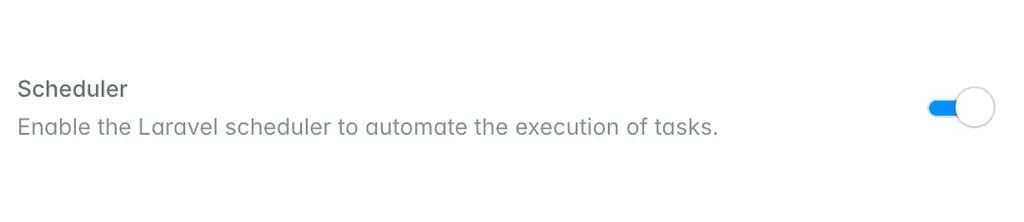
Enabling the task scheduler
The simplest way to begin handling scheduled tasks is to enable the task scheduler on your environment’s App compute cluster. When running the task scheduler on your App compute cluster, scheduled tasks will be processed on the same compute instances that handle your application’s incoming HTTP traffic.To get started, click on your environment’s App compute cluster within the infrastructure canvas dashboard. Then, enable the “Scheduler” toggle. Finally, save and re-deploy the changes to your App compute cluster.schedule:run Artisan command will automatically be invoked every minute on your App compute cluster, allowing your Laravel application to process its scheduled tasks.If you would like to run scheduled tasks on infrastructure that is separate from the compute that handles your incoming web traffic, you may also enable the task scheduler on a Worker cluster.
Scheduled tasks and multiple replicas
If you have scaled your environment’s compute to use multiple replicas, make sure you are using Laravel’sonOneServer method when scheduling your tasks. Otherwise, your tasks will run on every replica, which may lead to unexpected behavior in your application. If you intend for a scheduled task to run on all replicas, you may omit the onOneServer method when scheduling the task.For more information on Laravel task scheduling, please consult the Laravel task scheduler documentation.Scheduled tasks and Scale to Zero
When an environment can scale to zero, it automatically wakes to run your scheduled tasks, so they continue to run on schedule even while the environment is sleeping.To determine when to wake your application, Laravel Cloud relies on the cron schedules reported by thephp artisan schedule:list command. Each time you deploy, Laravel Cloud runs this command and stores its output. The stored schedule is then used to calculate the next time each of your tasks is due to run, allowing your environment to wake at the appropriate moment. Because this output is only captured at deploy time, any changes to your task schedule will not take effect until your next deployment.When the environment wakes to run a scheduled task, it stays awake for the duration of the sleep timeout. To avoid keeping your environment awake continuously, do not schedule tasks at intervals shorter than your sleep timeout. For example, a task that runs every 5 minutes on an environment with a 5-minute sleep timeout will never allow the environment to sleep.Laravel Cloud points the scheduler’s cache driver at your environment’s cache store. The task scheduler only queries this store when a task uses Laravel’s withoutOverlapping or onOneServer methods (or when running sub-minute tasks), so a typical schedule does not query the store on every run. However, if you frequently run tasks that rely on these methods, the resulting cache lookups may keep an attached database or cache awake, preventing it from scaling to zero.